Target Savings
Purpose
Target Savings allows members to save towards a specific financial goal — such as a school fees fund, a holiday, or a business investment. When you open a Target Savings account, you set either a Target Amount (how much you want to save), a Target Date (when you want to reach your goal), or both — depending on the product settings. The system tracks progress automatically.
Who Can Access
| Role | Access Level |
|---|---|
| Administrator | Full access |
| Committee Member | Full access |
| Account Officer | Can open accounts and post deposits |
| Teller | Can post deposits |
| Auditor | View-only |
| Member | Can view their own target savings on the portal |
How to Open This Page
Sidebar → Savings → Open Account (then select a Target Savings product)
Opening a Target Savings Account
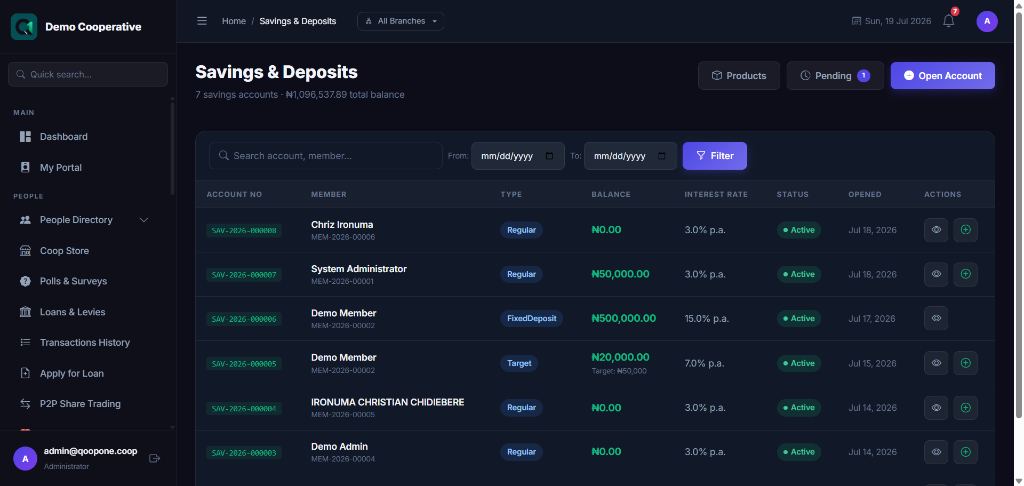
The form is the same as opening any savings account. When you select a Target Savings product, additional fields appear.
Field Guide
| Field | Required | Description | Example |
|---|---|---|---|
| Member | Yes | The member who will own this account | Chidi Eze (MBR-0012) |
| Savings Product | Yes | Select a product of type Target Savings | Goal Saver Plan |
| Account Name | No | A friendly name to describe the goal | School Fees 2027 |
| Target Amount | Conditional | How much the member wants to save in total. This appears only if the product is set to track by amount. | ₦500,000 |
| Target Date | Conditional | The date the member hopes to reach their goal. This appears only if the product is set to track by date. | 01/09/2027 |
Target Amount vs. Target Date
Some products require a Target Date only, some require a Target Amount only, and some require both. This is determined by how your administrator configured the savings product.
Step-by-Step: Open a Target Savings Account
- Go to Savings in the sidebar.
- Click Open Account.
- Select the Member.
- From the Savings Product dropdown, choose a Target Savings product (shown as Target type).
- Optionally enter an Account Name to describe the goal (e.g. "Christmas Savings").
- Enter the Target Amount and/or Target Date as required.
- Review the product details shown on the right panel.
- Click Open Account.
Account Details Page
After opening the account, click 👁 View to see the details.
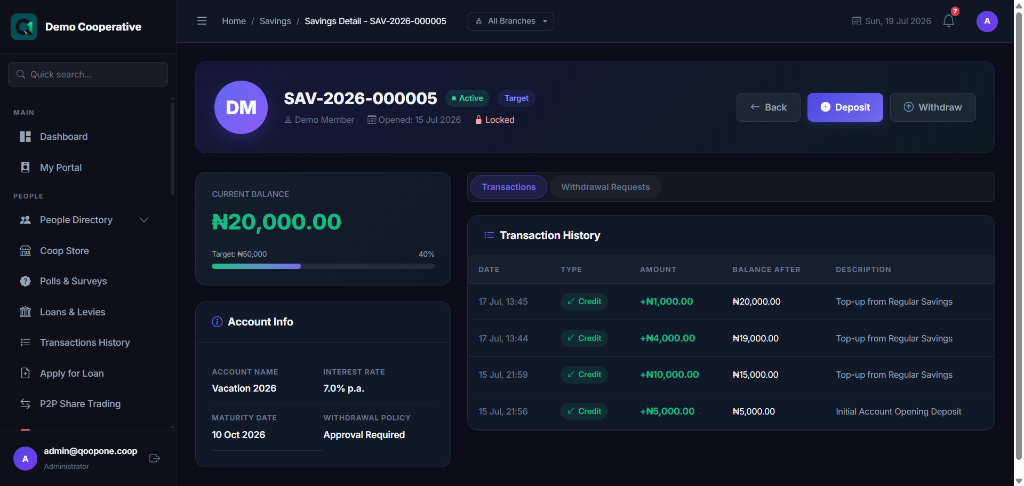
The details page shows:
- Goal progress bar — shows how much of the target has been saved
- Current balance vs. Target amount
- Days remaining until the target date (if set)
- All transactions (deposits, withdrawals, interest)
Posting a Deposit
- Open the account details.
- Click Deposit.
- Enter the amount deposited.
- Select the payment method (Cash, Transfer, etc.).
- Click Save.
The progress bar updates automatically.
Tips
Realistic Goals
Help members set achievable targets. If a member wants to save ₦500,000 in 6 months, they need to deposit about ₦83,000 each month.
Early Withdrawal Penalty
If a member withdraws from a Target Savings account before reaching the target date or amount, a penalty may be charged based on the product settings. Check the product details before processing any withdrawal.
Common Mistakes
| Mistake | How to Avoid |
|---|---|
| Selecting a Regular product instead of a Target product | Look for products labelled Target in the product type |
| Setting a target date in the past | Always choose a future date |
| Leaving target amount blank when it is required | The Open Account button will not activate until all required fields are filled |
Frequently Asked Questions
Q: Can a member have more than one Target Savings account?
A: Yes. A member can have multiple target savings accounts, each for a different goal.
Q: What happens when the target is reached?
A: Depending on the product settings, the account may mature automatically and the balance made available for withdrawal, or a staff member may need to manually process the maturity.
Q: Can the target amount or date be changed after the account is opened?
A: Contact your administrator — this may be possible depending on your cooperative's settings.