Savings Products Setup
Purpose
Savings Products define the rules and policies for each type of savings account in QoopOne. Before you can create a savings account for any member, the appropriate savings product must be set up first. Products control interest rates, withdrawal rules, penalties, and lock periods.
Who Can Access
- Administrator only
How to Open This Page
Administration → Settings → Savings Products
Screen Overview
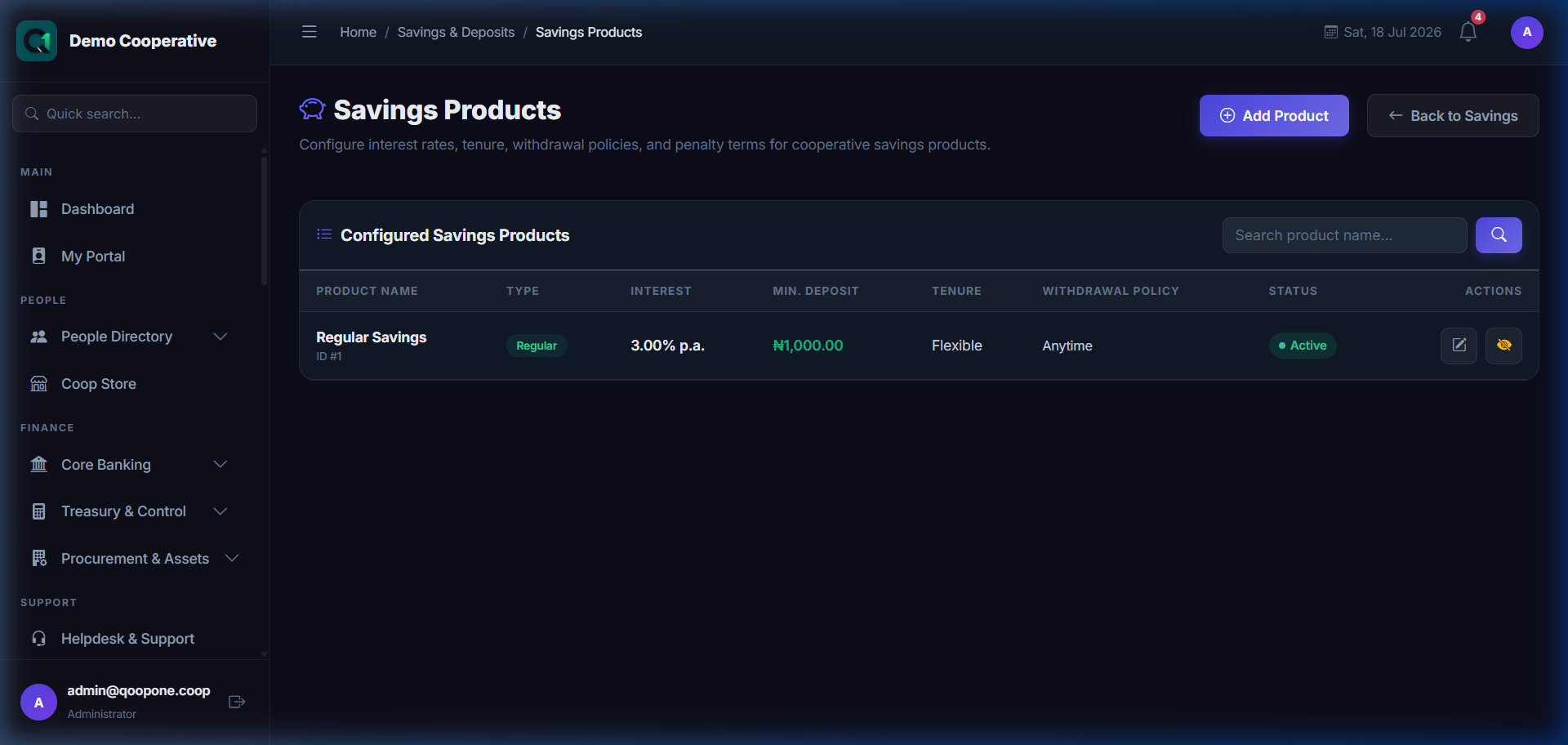
👉 HOW TO CONFIGURE A SAVINGS PRODUCT (Vivid Guide)
- Go to Core Banking -> Savings & Deposits in the sidebar.
- Click the "Products" button in the top navigation tabs to view all available savings products.
- Click the blue button at the top right: "Create Product".
- Fill in the details: Enter Name, Interest Rate, Minimum Balance, and check if you want early withdrawal penalty rules.
- Click the green button at the bottom to save.
The products list shows all configured savings plans with their product type, status, and key settings. You can create new products, edit existing ones, and activate or deactivate them.
Product Types
| Type | Description |
|---|---|
| Regular | Standard flexible savings account |
| Target Savings | Goal-based savings with a target amount and date |
| Fixed Deposit | Locked savings for a fixed period with higher interest |
Creating a Savings Product
Step-by-Step Guide
- Go to Administration → Settings → Savings Products.
- Click Add Product.
- Fill in the Basic Settings:
- Product Name
- Product Type (Regular, Target, Fixed Deposit)
- Interest Rate (per annum)
- Interest Frequency (Monthly, Quarterly, At Maturity, Annually)
- Tenure (days) — for Fixed Deposits
- Minimum Opening Amount
- Configure Withdrawal Settings (for Regular Savings):
- Allow Withdrawals (Yes/No)
- Withdrawal Fee Type (None, Percentage, Fixed)
- Withdrawal Fee Value
- Configure Early Withdrawal Policy (for Fixed Deposit and Target):
- Allow Early Withdrawal (Yes/No)
- Penalty Type (Forfeit Interest, Percentage, Fixed)
- Penalty Value
- Min Lock Period (Days)
- Approval Required for Early WD (Yes/No)
- Allow Partial Withdrawal (Yes/No)
- Min Partial Withdrawal Amount
- Configure Maturity Settings (for Fixed Deposit):
- Maturity Instruction (Credit Regular Savings, Auto Renew, Notify Only)
- Auto Close on Target (for Target Savings)
- Click Save Product.
Field Guide
| Field | Required | Description | Example |
|---|---|---|---|
| Product Name | ✅ | Name shown when creating accounts | 12-Month Fixed Deposit |
| Product Type | ✅ | Regular, Target, or Fixed Deposit | Fixed Deposit |
| Interest Rate (%) | ✅ | Annual interest rate | 12 |
| Interest Frequency | ✅ | How often interest is credited | At Maturity |
| Tenure (Days) | For FD | Length of the deposit in days | 365 |
| Min Opening Amount | ❌ | Smallest allowed opening deposit | ₦50,000 |
| Allow Early Withdrawal | For FD/Target | Can member withdraw before maturity? | Yes |
| Penalty Type | If EW allowed | How the penalty is calculated | Forfeit Accrued Interest |
| Penalty Value | If applicable | Percentage or fixed fee amount | 10 (for 10% penalty) |
| Min Lock Period (Days) | If EW allowed | Days before any early withdrawal | 90 |
| Approval Required for Early WD | ✅ | Require manager approval for early withdrawals? | Yes |
| Allow Partial Withdrawal | For locked accounts | Can member withdraw part instead of all? | No |
| Min Partial Withdrawal Amount | If partial allowed | Smallest allowed partial withdrawal | ₦10,000 |
| Maturity Instruction | For FD | What to do when deposit matures | Credit Regular Savings |
| Auto Renew | For FD | Automatically renew on maturity? | No |
| Auto Close on Target | For Target | Close account when goal is met? | Yes |
Penalty Type Options Explained
| Option | What It Means |
|---|---|
| Forfeit Accrued Interest | Member loses all interest earned so far; gets only the principal back |
| Percentage of Accrued Interest | A percentage of the earned interest is deducted as penalty |
| Fixed Amount | A flat fee is charged regardless of balance |
Approval Required for Early WD
When set to Yes, any early withdrawal request from a locked account (Fixed Deposit or Target Savings) must be reviewed and approved by a manager before funds are released. The request enters the Workflows & Approvals queue.
Tips
Tip
For Fixed Deposits, always set "Approval Required for Early WD" to Yes. This ensures that managers review all penalty calculations before funds are released.
Tip
Test your product settings by creating a test savings account and checking that the withdrawal policy preview shows the correct penalty before going live.
Common Mistakes
- Setting the penalty value to 0 when "Percentage" is selected — this results in no penalty being charged.
- Forgetting to set "Allow Early Withdrawal: No" when you want to enforce strict lock periods.
- Creating duplicate products with the same name — always check existing products before adding new ones.