Reports & Analytics
Purpose
The Reports module gives administrators, managers, and auditors access to a wide range of financial and operational reports. Reports can be filtered by date, branch, or member, and can be exported as PDF or Excel files for record-keeping and board presentations.
Who Can Access
| Role | Access Level |
|---|---|
| Administrator | Access to all reports |
| Committee Member | Access to financial reports |
| Loan Officer | Access to loan reports |
| Account Officer | Access to savings reports |
| Auditor | Full read access to all reports |
How to Open This Page
Sidebar → Reports
Reports Overview
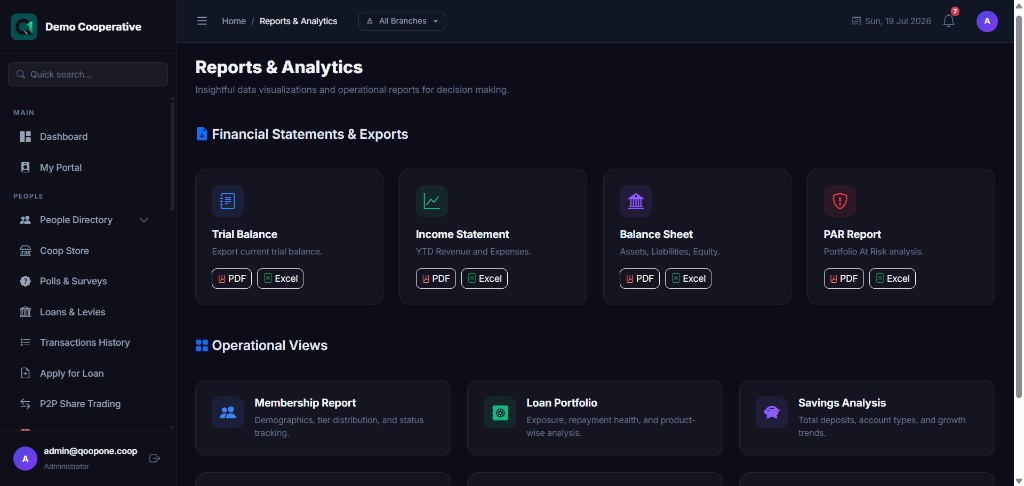
Available Reports
Financial Summary
Sidebar → Reports → Financial Summary
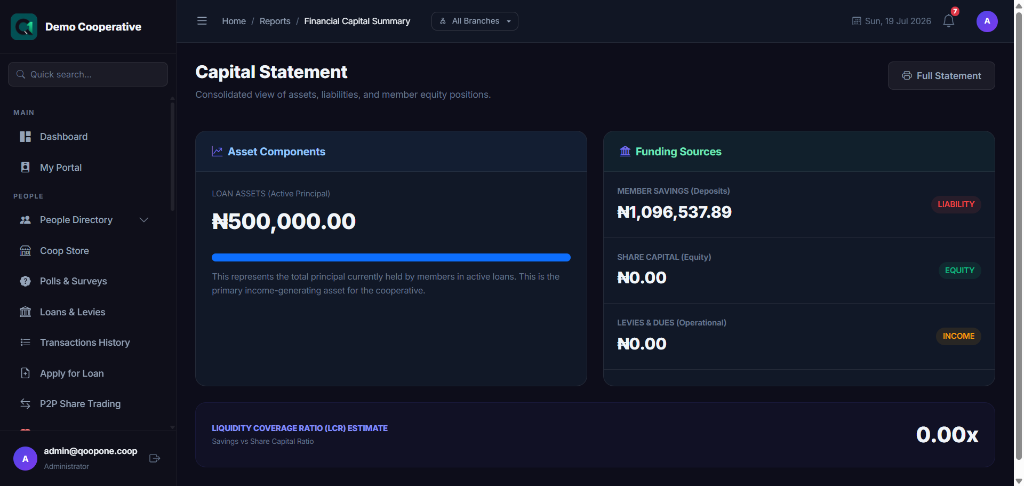
A top-level overview of the cooperative's finances for a selected period.
| Section | What It Shows |
|---|---|
| Total Savings | All savings balances combined |
| Total Loans | Total outstanding loan portfolio |
| Loan Repayments Received | Total repayments in the period |
| Interest Income | Total interest earned from loans |
| Fee Income | Processing fees, penalties, etc. |
| Total Expenses | All expenses incurred |
| Net Surplus / Deficit | Income minus expenses |
Member Report
Sidebar → Reports → Members
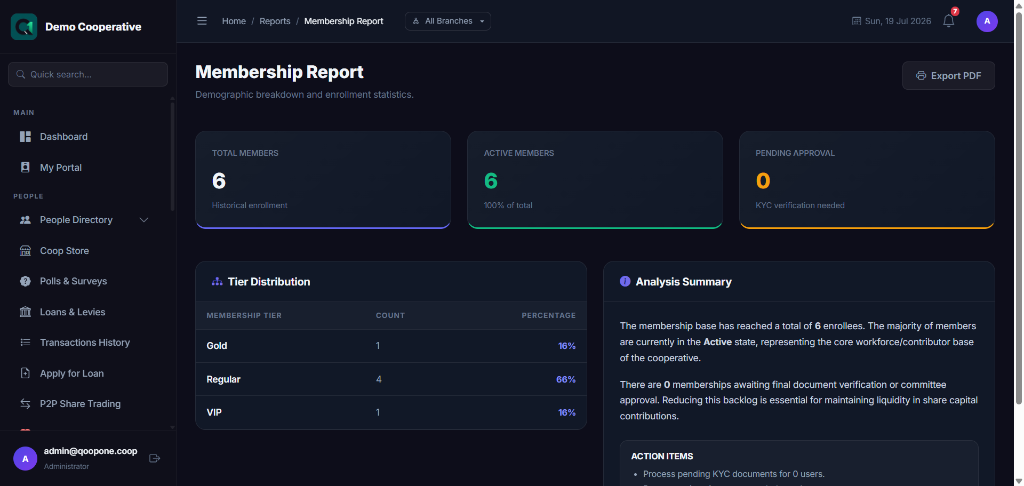
| Filter | Description |
|---|---|
| Date From / To | Registration date range |
| Status | Active, Pending, Exited |
| Branch | Filter by branch |
| Tier | Filter by membership tier |
| Column | Description |
|---|---|
| Member No | Unique member ID |
| Full Name | Member's name |
| Branch | Which branch they belong to |
| Join Date | When they registered |
| Status | Active, Pending, Suspended, Exited |
| Share Capital | Total share capital contributed |
| Savings Balance | Current savings balance |
Savings Report
Sidebar → Reports → Savings
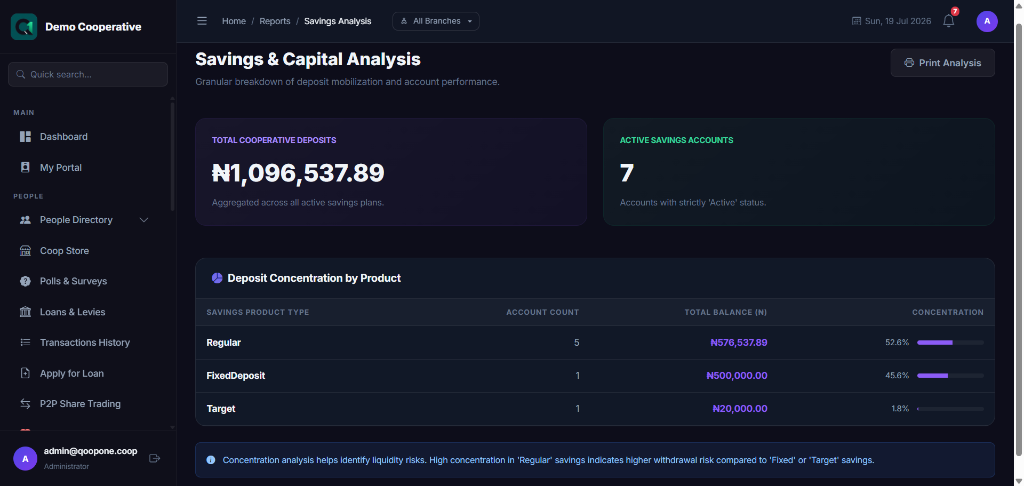
Shows savings account details across the cooperative.
| Filter | Description |
|---|---|
| Date Range | Transactions in a specific period |
| Product Type | Regular, Target, Fixed Deposit |
| Status | Active, Closed |
| Column | Description |
|---|---|
| Account No | Account number |
| Member | Account holder |
| Product | Savings product |
| Balance | Current balance |
| Total Deposits | Total deposited in the period |
| Total Withdrawals | Total withdrawn in the period |
| Interest Earned | Interest credited in the period |
Loan Portfolio Report
Sidebar → Reports → Loan Portfolio
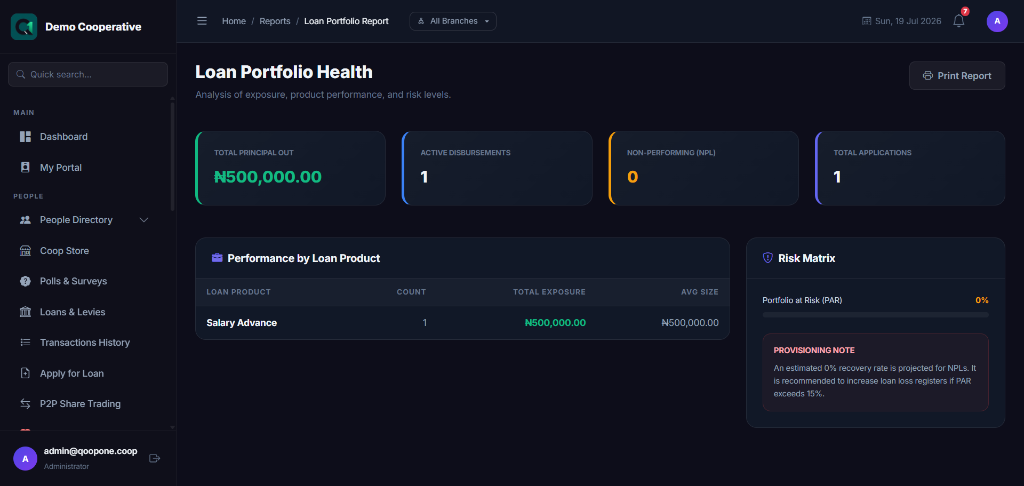
| Filter | Description |
|---|---|
| Date Range | Loans disbursed in a period |
| Status | Active, Overdue, Closed |
| Branch | Filter by branch |
| Loan Product | Filter by product type |
| Column | Description |
|---|---|
| Loan No | Reference number |
| Member | Borrower |
| Product | Loan product |
| Principal | Original loan amount |
| Outstanding | Balance remaining |
| Monthly EMI | Monthly payment |
| Days Overdue | How many days past due |
| Status | Active, Overdue, Closed |
Levy Collection Report
Sidebar → Reports → Levy Collection
Shows all levies collected from members in a selected period.
| Column | Description |
|---|---|
| Levy Name | Type of levy |
| Member | Who was charged |
| Amount | Amount deducted |
| Date | When it was collected |
| Status | Collected or Failed |
Audit Trail Report
Sidebar → Reports → Audit Trail
See Audit Trail for full documentation.
Business Intelligence (BI) Dashboard
Sidebar → BI / Analytics
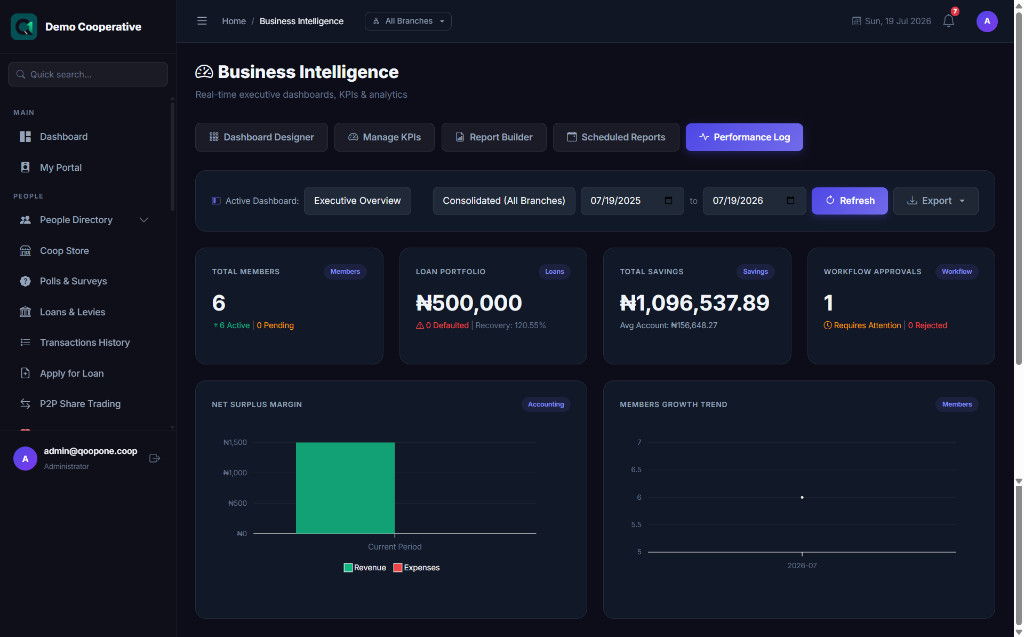
The BI dashboard provides visual analytics with charts and graphs, including:
- Member Growth — monthly new member registrations trend
- Savings Trends — total savings balance over time
- Loan Disbursements — monthly loan volume
- Loan Recovery Rate — percentage of loans being repaid on time
- Income vs. Expense — monthly income and expense comparison
- Branch Performance — comparison across branches
Exporting Reports
Most reports have an Export button at the top right:
| Format | Action |
|---|---|
| CSV / Excel | Downloads a spreadsheet file |
| Generates a print-ready PDF | |
| Opens the browser print dialog |
Tips
Filter Before Exporting
Always apply date and other filters before exporting to keep the file manageable. Exporting everything at once for a large cooperative can produce very large files.
Monthly Reports Routine
Create a routine: at the end of each month, run the Financial Summary, Savings Report, and Loan Portfolio Report, save them as PDFs, and file them for board review.
Frequently Asked Questions
Q: Can I schedule reports to be emailed automatically?
A: This depends on your system configuration. Ask your administrator.
Q: Can I customise report columns?
A: Standard reports have fixed columns. For custom reports, speak to your QoopOne support team.