Budgeting
Purpose
The Budgeting module allows the cooperative to plan its income and expenditure for a financial year, monitor actual spending against the budget, and identify variances. Good budgeting ensures resources are used efficiently and financial targets are achieved.
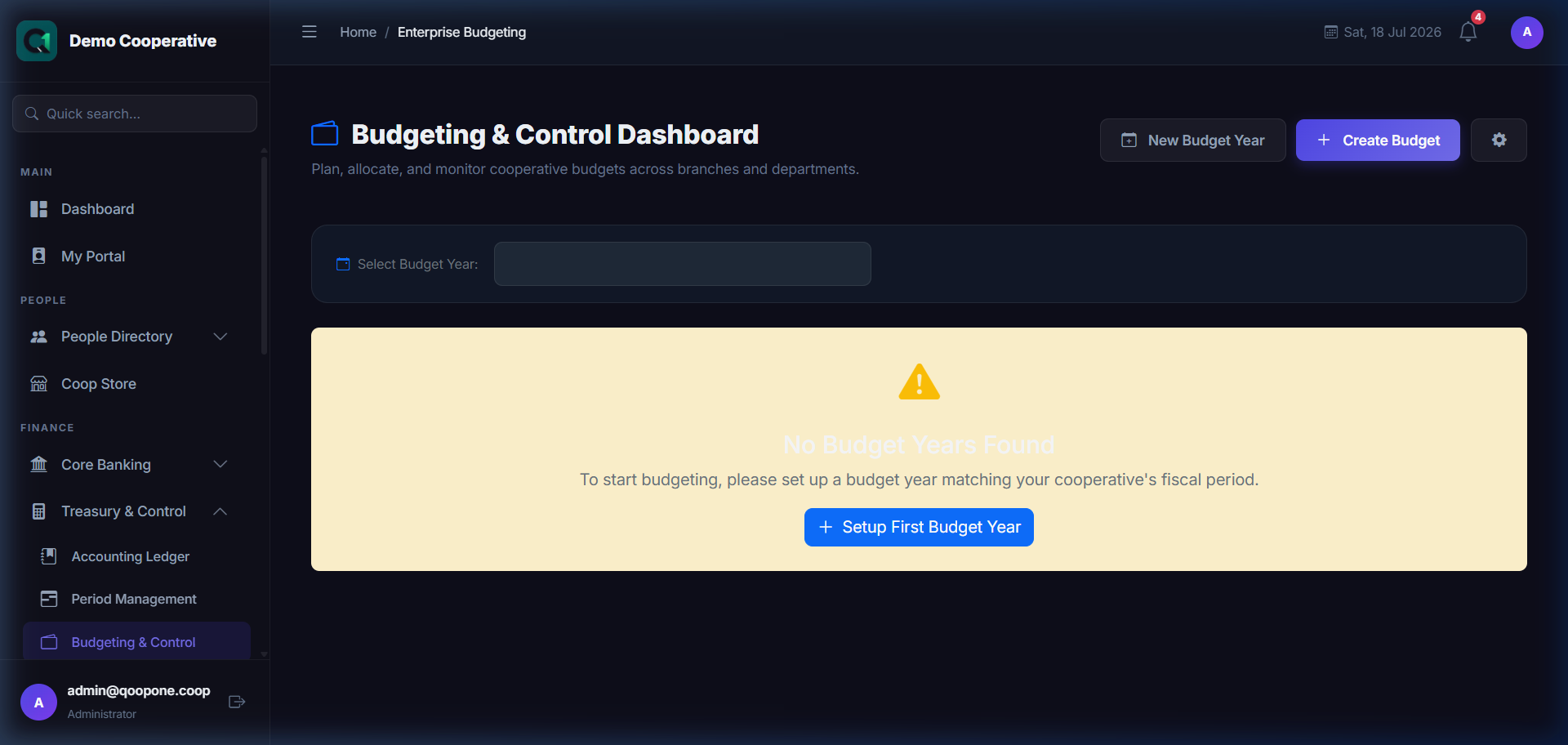
👉 HOW TO CREATE AND TRACK BUDGETS (Vivid Guide)
- Go to Treasury & Control -> Budgeting in the sidebar.
- Click the blue button at the top right: "Create Budget".
- Select Account & Target: Choose the Expense account, enter the budget amount (target limit) for the period, and select the start/end dates.
- Click the green button to save.
- Monitor Variance: Regularly check the budget list page to see the Actual Spent vs. Budget Limit variance chart.
Who Can Access
- Administrator
- Manager
- Accountant
How to Open This Page
Treasury & Control → Budgeting
Key Concepts
| Term | Meaning |
|---|---|
| Budget | A financial plan for a specific period |
| Budget Line | A specific income or expense category |
| Actual | Real amounts spent or earned |
| Variance | Difference between budget and actual |
| Over-Budget | Actual spending exceeds the budget |
| Under-Budget | Actual spending is below the budget |
Creating a Budget
- Go to Budgeting → New Budget.
- Enter:
- Budget Name (e.g., "2025 Annual Budget")
- Financial Year
- Start and End Date
- Add Budget Lines:
- For each income or expense category, enter the budgeted amount.
- Click Save Budget.
Budget Controls
Budget Controls link budget lines to specific accounting codes, ensuring that spending in a cost category cannot exceed the budgeted amount without approval.
- Go to Budgeting → Controls.
- Link each budget line to an accounting ledger account.
- Set whether the control is Soft (warning only) or Hard (blocks the transaction).
Budget Revisions
When the budget needs to be updated mid-year:
- Go to Budgeting → Budget Details.
- Click Revise Budget.
- Update the budget amounts.
- Document the reason for revision.
- Click Save Revision.
Budget vs Actual Reports
- Go to Budgeting → Reports.
- Select the budget.
- Choose the period.
- Click Generate.
The report shows each budget line with the budgeted amount, actual amount, and variance.
Tips
Tip
Involve department heads in the budget planning process. They know their operational needs better than anyone.
Tip
Review the budget vs. actual report monthly. Don't wait until year-end to discover you are significantly over or under budget.